The
Bun.file and Bun.write APIs documented on this page are heavily optimized and represent the recommended way to perform file-system tasks using Bun. For operations that are not yet available with Bun.file, such as mkdir or readdir, you can use Bun’s nearly complete implementation of the node:fs module.Reading files (Bun.file())
Bun.file(path): BunFile
Create a BunFile instance with the Bun.file(path) function. A BunFile represents a lazily-loaded file; initializing it does not actually read the file from disk.
Blob interface, so the contents can be read in various formats.
file:// URLs.
BunFile can point to a location on disk where a file does not exist.
text/plain;charset=utf-8, but it can be overridden by passing a second argument to Bun.file.
stdin, stdout and stderr as instances of BunFile.
Deleting files (file.delete())
You can delete a file by calling the .delete() function.
Writing files (Bun.write())
Bun.write(destination, data): Promise<number>
The Bun.write function is a multi-tool for writing payloads of all kinds to disk.
The first argument is the destination which can have any of the following types:
string: A path to a location on the file system. Use the"path"module to manipulate paths.URL: Afile://descriptor.BunFile: A file reference.
stringBlob(includingBunFile)ArrayBufferorSharedArrayBufferTypedArray(Uint8Array, et. al.)Response
See syscalls
See syscalls
stdout:
Incremental writing with FileSink
Bun provides a native incremental file writing API called FileSink. To retrieve a FileSink instance from a BunFile:
.write().
.flush(). This returns the number of flushed bytes.
FileSink’s high water mark is reached; that is, when its internal buffer is full. This value can be configured.
bun process will stay alive until this FileSink is explicitly closed with .end(). To opt out of this behavior, you can “unref” the instance.
Directories
Bun’s implementation ofnode:fs is fast. Use node:fs for working with directories in Bun.
Reading directories (readdir)
To read a directory in Bun, usereaddir from node:fs.
Reading directories recursively
To recursively read a directory in Bun, usereaddir with recursive: true.
Creating directories (mkdir)
To recursively create a directory, usemkdir in node:fs:
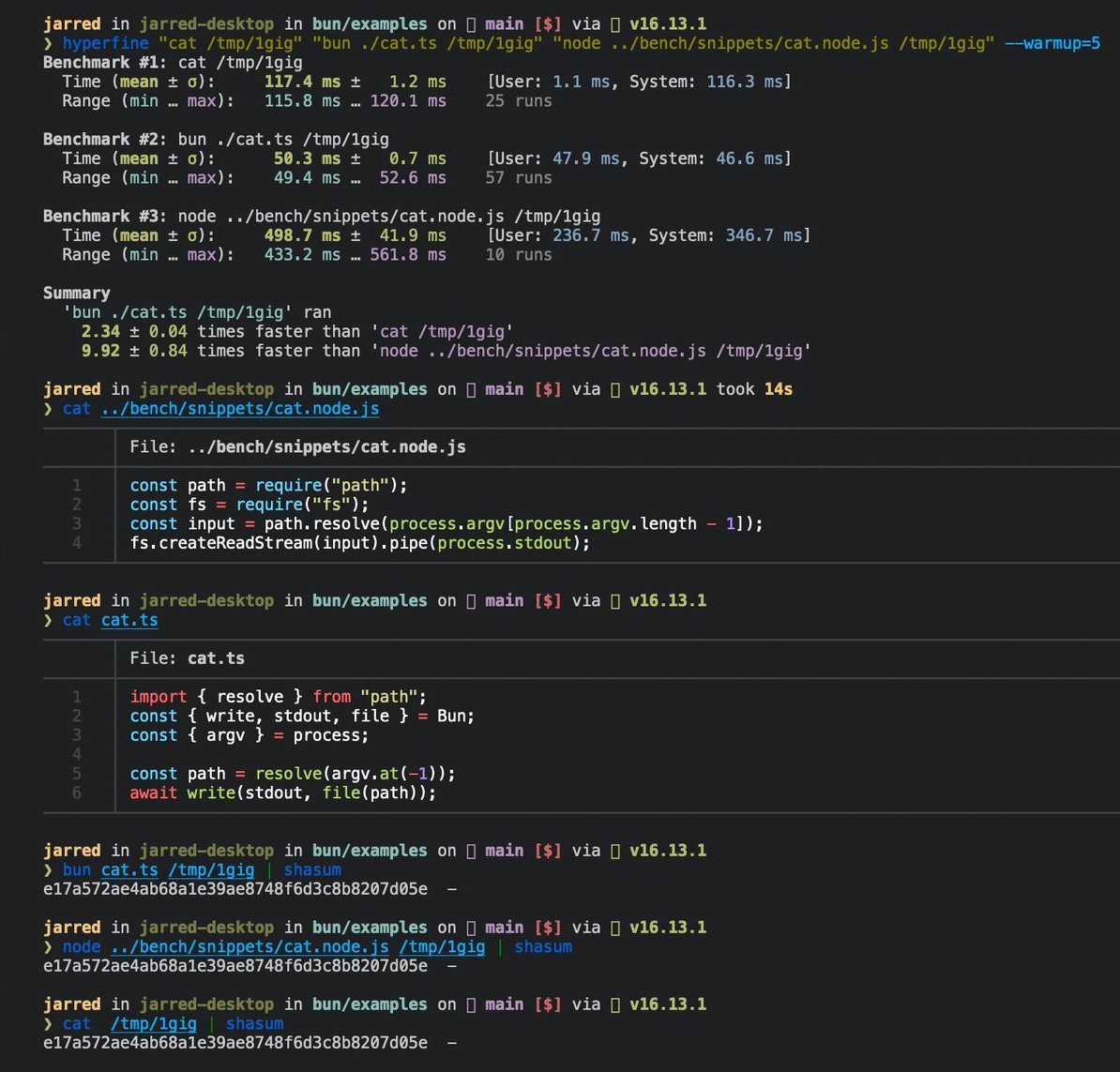
Benchmarks
The following is a 3-line implementation of the Linuxcat command.
cat.ts

terminal
cat for large files on Linux.